Widgets are snippets of code you can include in a web page to add a small, interactive item that displays information for your users.
We have three available widgets:
- Now Playing: Shows the artist, title, and duration of the current song on a player or stream, as well as the album art
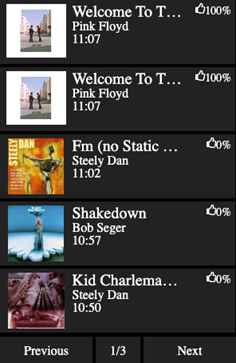
- Recently Played: Shows a page-able list of the 15 most recently played songs in chronological order, starting with the current song at the top. Each entry shows artist, title, duration, album art. By default there are Next and Previous buttons at the bottom to switch between pages, along with the number of pages available.
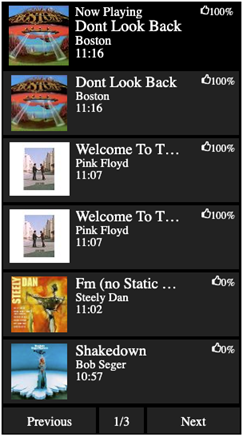
- Combined (Now Playing + Recently Played): Same as the Recently Played widget, but with the Now Playing widget added to the top.
Examples of each type:
|
Widget |
Example |
|
Now Playing |
|
|
Recently widget |
|
|
Combined |
|

Widgets are somewhat customizable.
For more information or to get the code for a widget to use on your website, please contact AmperWave Support.