To access the Ad Network Revenue report click the Ad Management tab, then the Reports sub-tab on the AmperWave Streaming console, then select Ad Network Revenue.
The Ad Network Revenue report will take a set of ad networks (from sources like Katz360 or TargetSpot), which have subscribed to your account's stations and will show the revenue earned by each ad network on only these stations.
To run an Ad Network Revenue report:
- In Date Range, select a date range.
- In Parameters, select either Exclude or Include ads that are direct deals.
- Click Export Report. An Excel spreadsheet with the results will be created.
You can wait for the report to generate, or you can look for the report once it is finished in the Reports > History tab.
Report Results
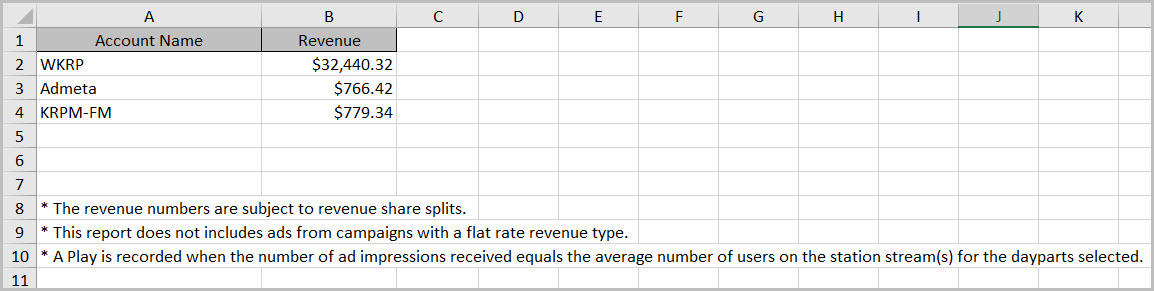
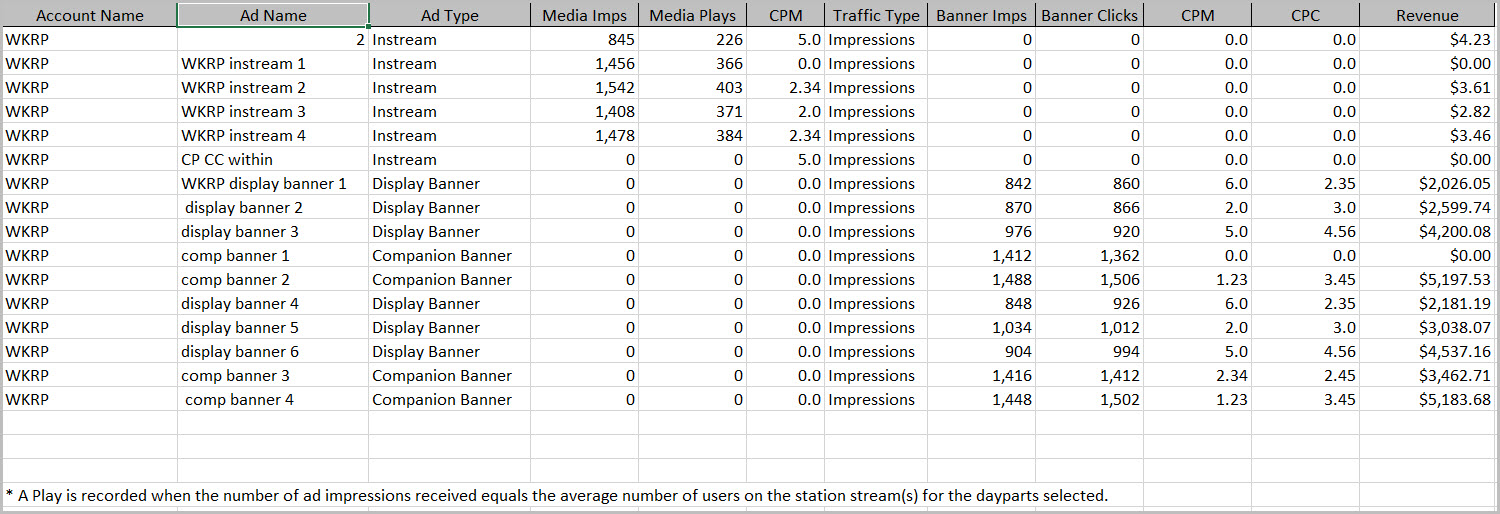
Report Results Worksheet 2
For More information, see: